
Simply Piano: Learn Piano Fast
Simply LtdEducation
4.638.23K Reviews
- Version
- 7.33.10
- Installs
- 50.00M
- Age Rating
- Everyone
Screenshots
Our Review of Simply Piano: Learn Piano Fast
 Analysis by Appyee
I find piano apps most useful when they make it easy to begin, but that first session can still bring a few snags. With Simply Piano, the key practical question is whether the app can hear what you play clearly enough to give useful feedback. If a note seems to go unrecognized, I would first check the basics: make sure the instrument is audible, play one note at a time during any listening or setup step, and avoid practicing in a noisy room. That kind of simple check can help distinguish a playing mistake from a recognition hiccup.
Start with a setup that suits your instrument
Before settling into a lesson, decide whether you want to use a real keyboard or the on-screen piano. A physical instrument gives you the feel and spacing that matter for building hand coordination, while an on-screen keyboard can be a handy way to explore when you do not have your instrument nearby. I would treat the virtual option as a starting point rather than a full substitute for regular practice on keys.
If you are using a keyboard, take a moment to follow the app’s connection prompts instead of rushing through them. Play a few clear notes and check that the app responds as expected before beginning a longer exercise. If it does not, return to the connection step and try again; changing several things at once makes it harder to tell what fixed the issue. Simply Piano is made by Simply Ltd, and its setup is aimed at helping learners get to a first lesson without needing to understand music software.
Recover a lesson without turning practice into troubleshooting
When a lesson stops feeling productive, I find it helps to narrow the problem. If the app is moving ahead before you feel ready, repeat a short passage rather than restarting a whole course. If you are unsure whether a note was played correctly, slow the task down and focus on the few notes that are causing trouble. The useful habit is to separate “I need more practice” from “the app is not hearing me,” then respond to the right problem.
That distinction matters because feedback can only help when your playing is clear enough to assess. Keep the instrument volume and surrounding sound in mind, and try not to play over other audio. If recognition remains inconsistent, pause and check the setup instead of repeating the same passage in frustration. A short break can be more useful than pushing through when your hands or attention are tired.
When another learning route may fit better
I would choose a traditional teacher if you want someone to correct posture, hand tension, and technique in person, or if you need a tailored path toward auditions or formal music study. A book or video lesson can also suit learners who prefer to control the pace themselves and do not want an app assessing each attempt. Compared with those options, Simply Piano’s strength is its guided, interactive practice; its trade-off is that screen-based feedback is not the same as a teacher listening to your overall sound and watching how you play.
It is also worth thinking about what keeps you practicing. A guided sequence and small achievements can make a regular routine feel approachable, but they are not a replacement for choosing a realistic goal. I would aim for a short, focused session and stop while I can still pay attention. That is more sustainable than trying to race through lessons or treating every star as proof of musical progress.
The app is a good fit if you are new to piano, want structure, and can practice with a keyboard often enough to build coordination. It may also help a returning player who wants a gentle refresher. I would skip it if you already need advanced, personalized instruction, mainly want to learn music theory in depth, or cannot use a compatible instrument setup comfortably. The right choice depends less on the app’s popularity than on the kind of feedback and practice environment you need.
What to expect from the learning experience
As an education app, Simply Piano is designed to make musical practice approachable rather than to turn every learner into a concert pianist. It is free to download, with in-app purchases ranging from $0.99 to $314.99 per item, so I would check the available options carefully before committing to anything. The app is rated for Everyone, and its average rating is 4.6 from around 933,000 ratings, with about 37,000 written reviews. It has been installed over 50 million times, which suggests many learners have tried it, but those figures cannot tell you whether its teaching style will suit you personally.
Its current version is 7.30.21 and it requires Android 6.0 or later. Those details are useful to check before downloading, especially if you plan to use an older device. The app’s popularity does not remove the practical requirements of learning piano: a quiet enough place to hear your instrument, a setup you can use reliably, and patience with repetition. The most useful question to ask yourself is whether you will enjoy practicing this way often enough for the guidance to matter.
A realistic routine might be to sit down after dinner, work through one short lesson, then revisit the passage that felt least secure. If the app recognizes the notes consistently, its feedback can help you notice where to focus next. If the session turns into repeated connection checks, stop and return to setup when you have time to concentrate. That small boundary helps protect practice from becoming a frustrating test of your device.
Getting Started with Simply Piano
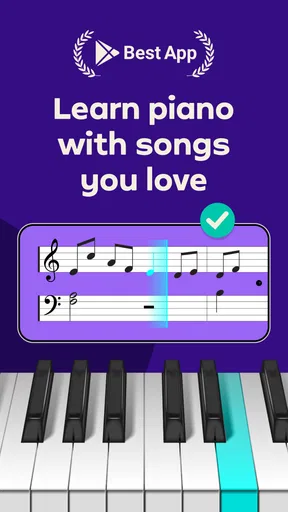
First things first, setting up Simply Piano is as easy as pie. Once you download the app, it pretty much holds your hand through the process of getting started. I love how it asks about your experience level, ensuring beginners aren’t overwhelmed and pros aren't bored. Once set up, it guides you through connecting your keyboard, or you can use the on-screen piano. Super convenient, right?
User-Friendly Interface
The app’s design is sleek and intuitive. I didn’t find myself fumbling around trying to figure out what to do next. Each feature is neatly tucked away, yet easily accessible. It’s like they’ve read my mind or something!
Learning Modules
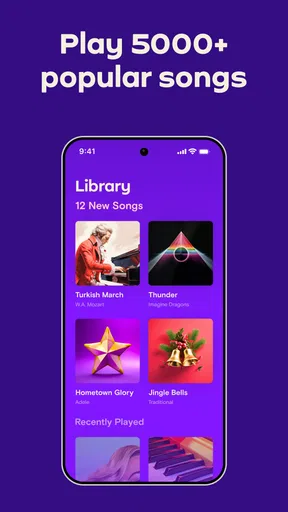
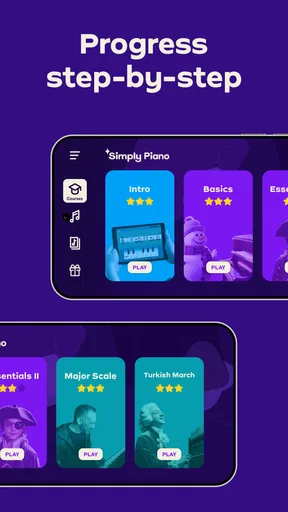
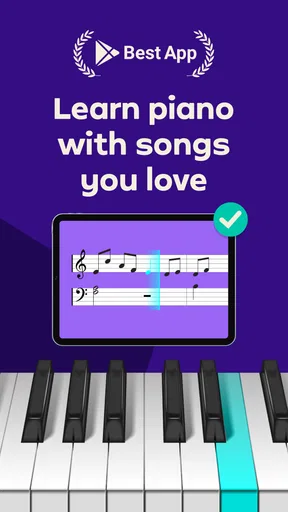
Simply Piano offers a range of courses tailored to different skill levels and musical interests. Whether you’re into classical, pop, or jazz, there’s a course for you. The lessons are broken down into bite-sized chunks, making it easier to digest and practice. Plus, the app uses real-time feedback to help you improve. It’s like having a personal piano tutor in your pocket.
Practice Makes Perfect
One of my favorite features is the practice mode. The app allows you to slow down songs and practice sections repeatedly. This is a game-changer for tricky pieces. I found myself playing "Fur Elise" with way more confidence than I ever thought possible.
Engaging and Fun
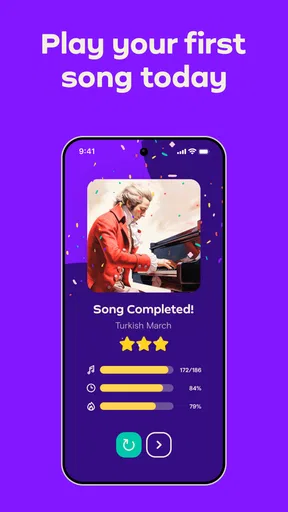
The app throws in some gamification elements too. As you progress, you earn stars and achievements. This was surprisingly motivating, I found myself wanting to practice more just to see what I could unlock next. It’s addictive in the best way!
A Few Notes
While Simply Piano is great, it does come with a price tag for full access. However, considering the quality of instruction, it’s a worthy investment for any budding pianist. Also, ensure you have a decent microphone or MIDI connection for the best experience.
Overall, Simply Piano is an excellent tool for anyone looking to embark on their piano-playing journey. It’s user-friendly, comprehensive, and most importantly, fun. So, if you’ve been dreaming of playing your favorite tunes, why not give it a try? It just might be the start of something beautiful.
Privacy and Permissions
See what permissions an app requests and how it handles your data.
- Photos/Media/Files
- read the contents of your USB storage, modify or delete the contents of your USB storage
- Storage
- read the contents of your USB storage, modify or delete the contents of your USB storage
- Microphone
- record audio
- Wi-Fi connection information
- view Wi-Fi connections
- Other
- view network connections, full network access, control Near Field Communication, run at startup, control vibration, prevent device from sleeping, read Google service configuration
Verdict
Strengths of Simply Piano: Learn Piano Fast
- User-friendly interface for beginners.
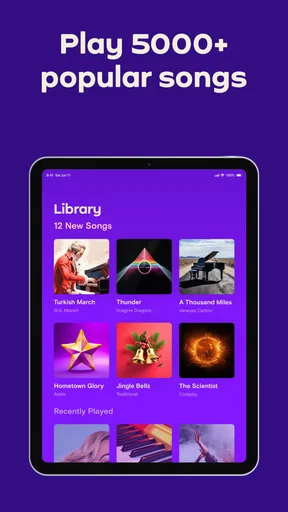
- Wide range of songs to learn from.
- Real-time feedback on performance.
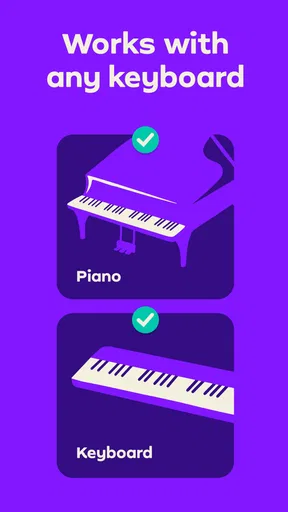
- Supports both digital and acoustic pianos.
- Interactive lessons keep users engaged.
Limitations of Simply Piano: Learn Piano Fast
- Requires subscription for full access.
- Limited offline functionality.
- Some songs lack advanced difficulty.
- Occasional note recognition issues.
- Not suitable for advanced pianists.
Other Releases by Simply Ltd
View All
Simply Sing: My Singing App
Music & Audio4.5

Simply Guitar - Learn Guitar
Education4.6

Simply Draw: Learn to Draw
Education4.7

Guitar Tuner - Simply Tune
Music & Audio4.8
Similar Picks in This Category
View All
Duolingo: Language Lessons
Duolingo4.7

Google Classroom
Google LLC2.8

Unacademy: Learn & Crack Exams
Unacademy3.2

Bible App for Kids
Life.Church4.4

Cake - Learn English & Korean
Cake Corp.4.7

Brainly: AI Homework Helper
Brainly4.5
Frequently Asked Questions
What is Simply Piano and how does it work?
Simply Piano is an educational app designed to help users learn piano quickly and efficiently. It offers interactive lessons, real-time feedback, and a wide range of songs to practice. The app listens to your piano or keyboard playing and provides instant feedback, allowing you to improve your skills progressively.
Is Simply Piano suitable for beginners?
Yes, Simply Piano is ideal for beginners. It offers a structured curriculum starting with basic notes and gradually advancing to more complex pieces. The app's step-by-step approach ensures that even those with no prior experience can comfortably learn and progress at their own pace.
What devices are compatible with Simply Piano?
Simply Piano is available for both Android and iOS devices. It requires a device with a functioning microphone to listen to your playing. Additionally, it can be used with acoustic pianos, keyboards, and digital pianos, making it quite versatile for different setups.
Is there a subscription fee for Simply Piano?
Simply Piano offers a free trial with limited features. For full access to all lessons and songs, a subscription is required. The app offers monthly, quarterly, and yearly plans, allowing users to choose a subscription that best fits their learning needs and budget.
Can Simply Piano help with learning music theory?
Yes, Simply Piano includes lessons on music theory as part of its curriculum. It covers essential topics such as reading sheet music, understanding rhythm, and recognizing chords, providing a comprehensive learning experience that combines practical playing with theoretical knowledge.
